MiFinity is designed to make everyday payments easier. Thanks to the integrated Google Wallet service, you can top up your MiFinity account quickly and securely
Deposit to your account in seconds! Simply authenticate your transaction with face ID, fingerprint or your secure passcode, and you’re all set!
Privacy is key,
and secure
Payments with peace of mind that your information is always protected. Advanced encryption from Google Wallet collaborates with MiFinity’s multi-layer security, ensuring safe and secure payments.
Supported for secure online payments
With Google Wallet integrated into MiFinity, you can add funds quickly and securely, giving you more flexibility
How to setup and use Google Wallet with MiFinity
1
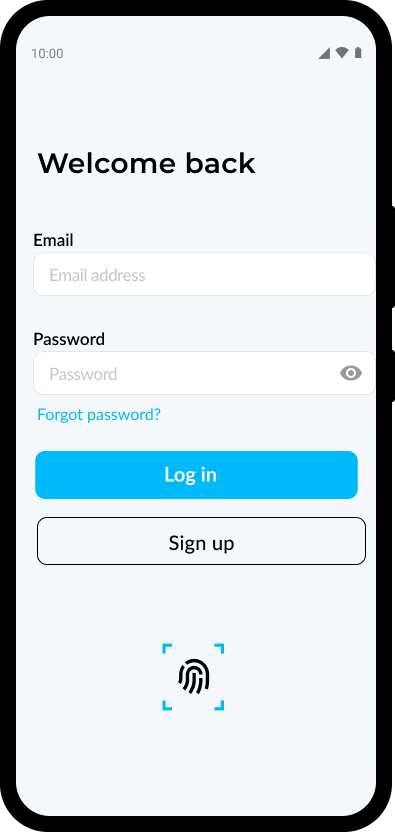
Sign in to your MiFinity eWallet account
2
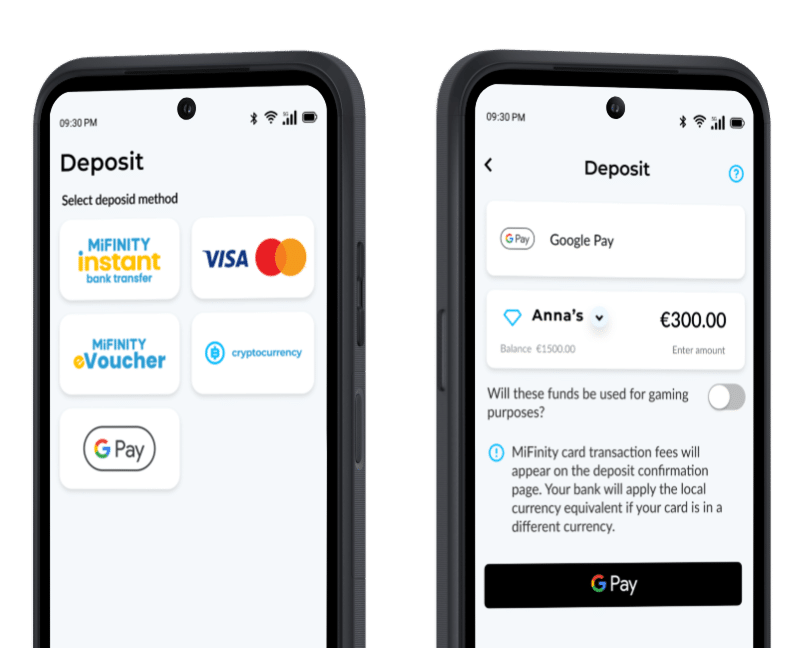
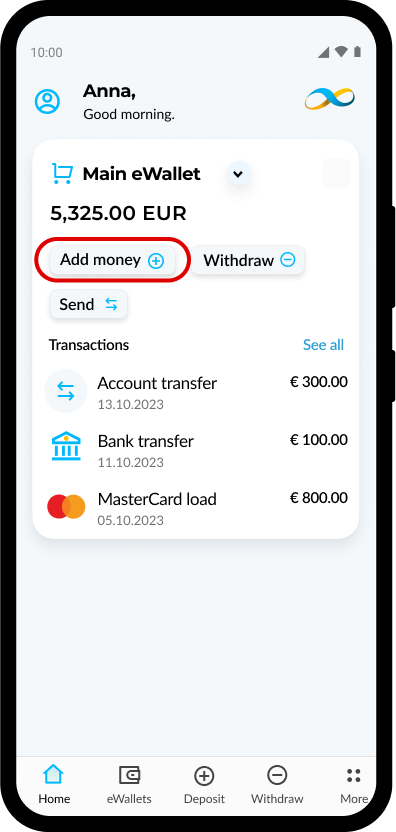
Open the MiFinity app and ‘Add Money’
3
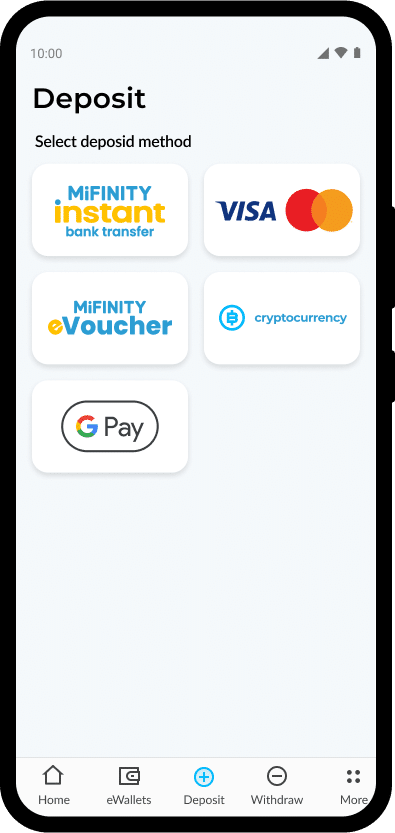
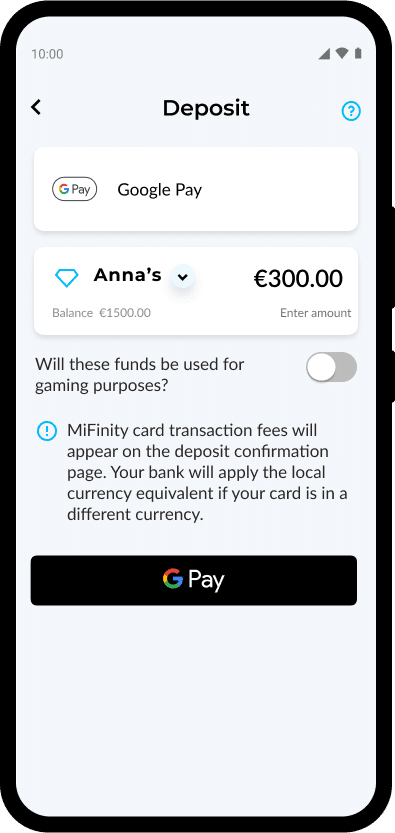
Choose “G Pay” from the list of available payment methods
4
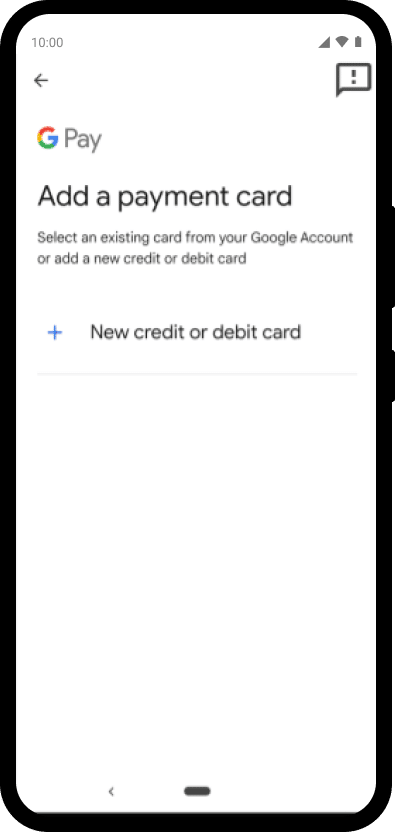
Add your card to your Google Wallet if you haven’t done this already. This will allow you to use G Pay for future transactions.
5
Enter the amount and click on “G Pay” button
6
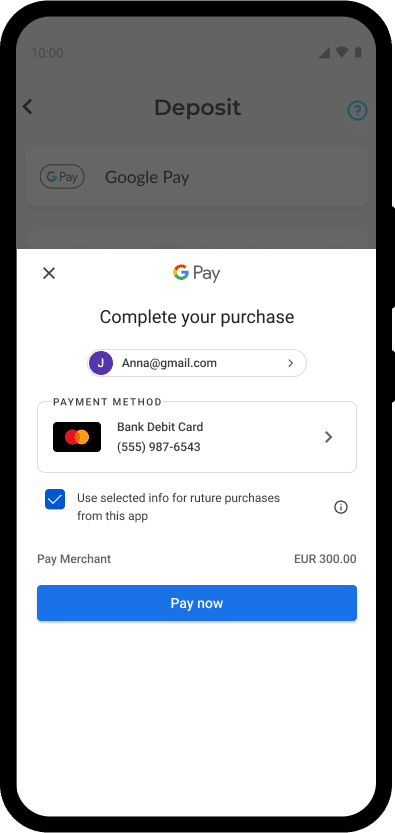
Confirm the amount by clicking on “Pay now” button
7
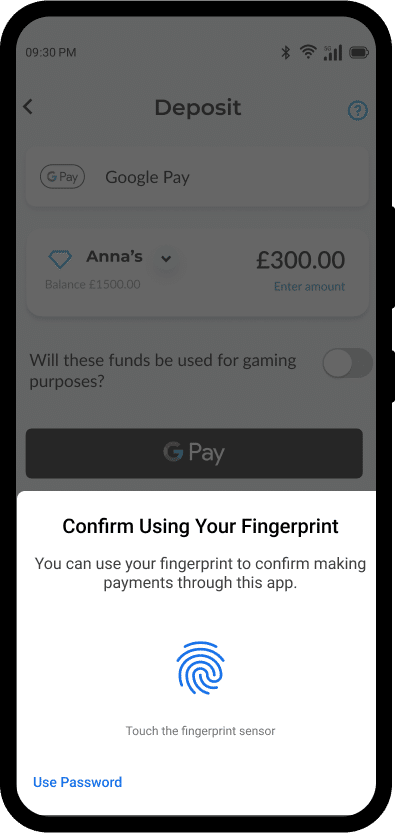
Complete payment authentication using your device’s fingerprint, face recognition or PIN.
8
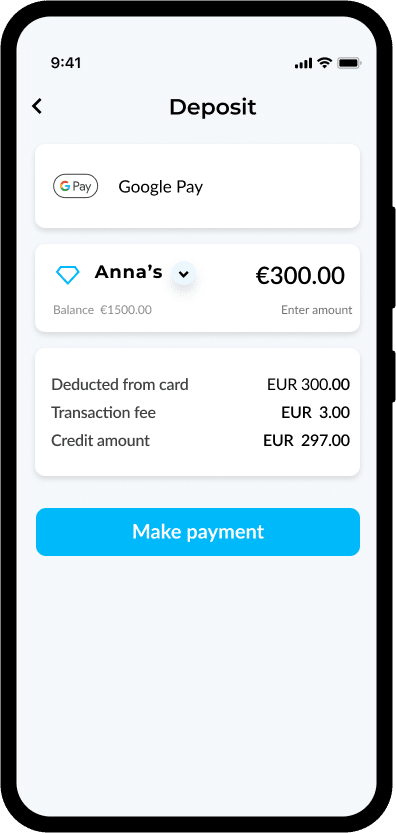
Complete payment by clicking on “Make payment” button
Ready to try it out?
Sign up today to enjoy a seamless payments experience.